

Description
Connect your store to SquidCore, the ERP and CRM that Infixs builds for Brazilian businesses, and get a WooCommerce ERP that keeps pace with your sales. This free plugin sends your store’s products, categories and orders to your SquidCore account as soon as they are created or changed, and brings back the NF-e (Brazil’s electronic invoice) for your paid orders, with the DANFE and XML ready for you and your customer. Catalog, sales, customers and invoices live in one place, organized for your day-to-day work.
Day to day, it all runs on its own. Each product reaches SquidCore with its price, sale price, stock, weight, dimensions, images, attributes, variations and NCM (tax classification) code. Each order arrives with its items, shipping, coupons, payment method, addresses and Brazilian checkout fields such as CPF, CNPJ, address number and neighborhood, and the buyer is added to your SquidCore customers. With automatic issuing on, SquidCore issues the NF-e using your company’s tax data and A1 certificate as soon as payment is confirmed, or 1, 2, 4, 6, 12 or 24 hours later, whichever you prefer. The invoice shows up on the order, and your customer downloads the DANFE (the printable PDF) and the XML from My Account and, when the invoice is already authorized, from the completed order email.
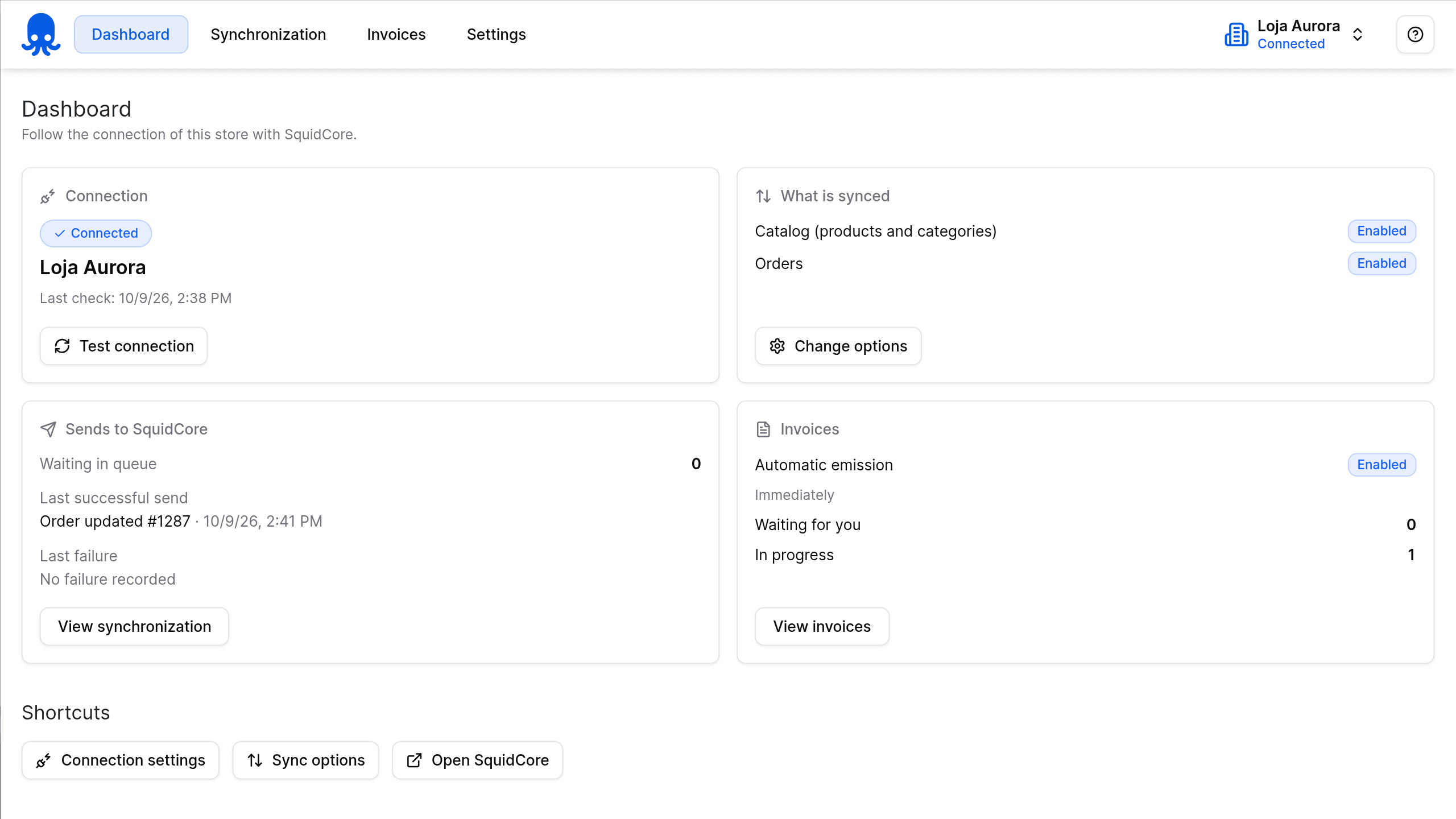
The plugin lives under the SquidCore menu in WordPress, in English or Portuguese: a dashboard with your connection, what gets synced, recent sync activity and your invoices; an invoice list with DANFE, XML and cancellation; and the settings. To connect, you paste the access token generated in your SquidCore account and save, with no API address to configure. Everything syncs in the background, with automatic retries, without slowing down your checkout. And with Correios Automático 1.11.0 or later, the authorized NF-e goes straight into the pre-posting.
⚠️ Important: the plugin is free and works with a SquidCore account that has the WooCommerce integration turned on. What you can use inside SquidCore depends on your account’s plan, and to issue NF-e your company’s tax data and A1 digital certificate must be set up there. To download it, add it to your cart and complete the free checkout: the file is available on the order confirmation page and in the order email.
🧾 Plugin features
| Feature | Description |
|---|---|
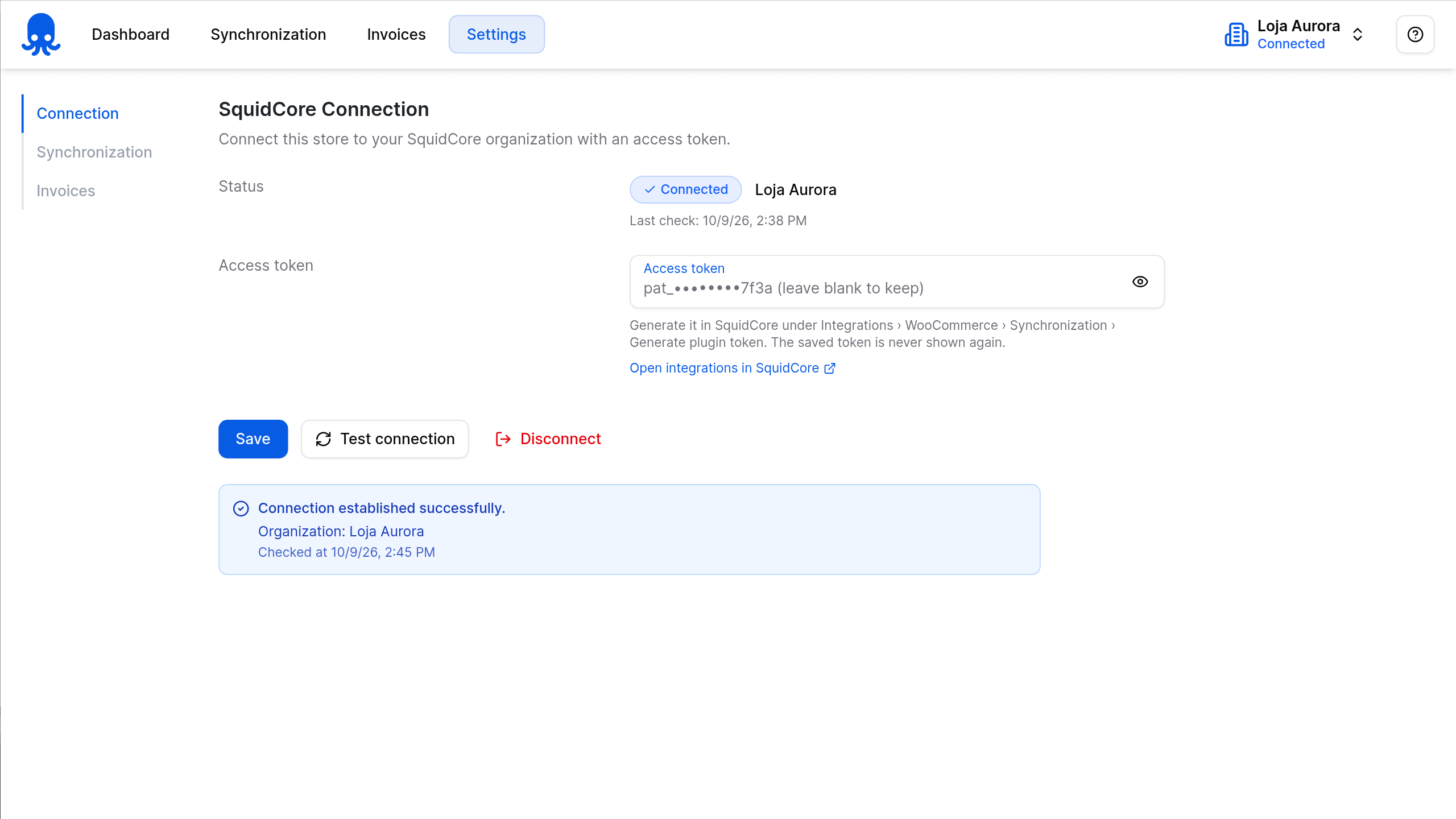
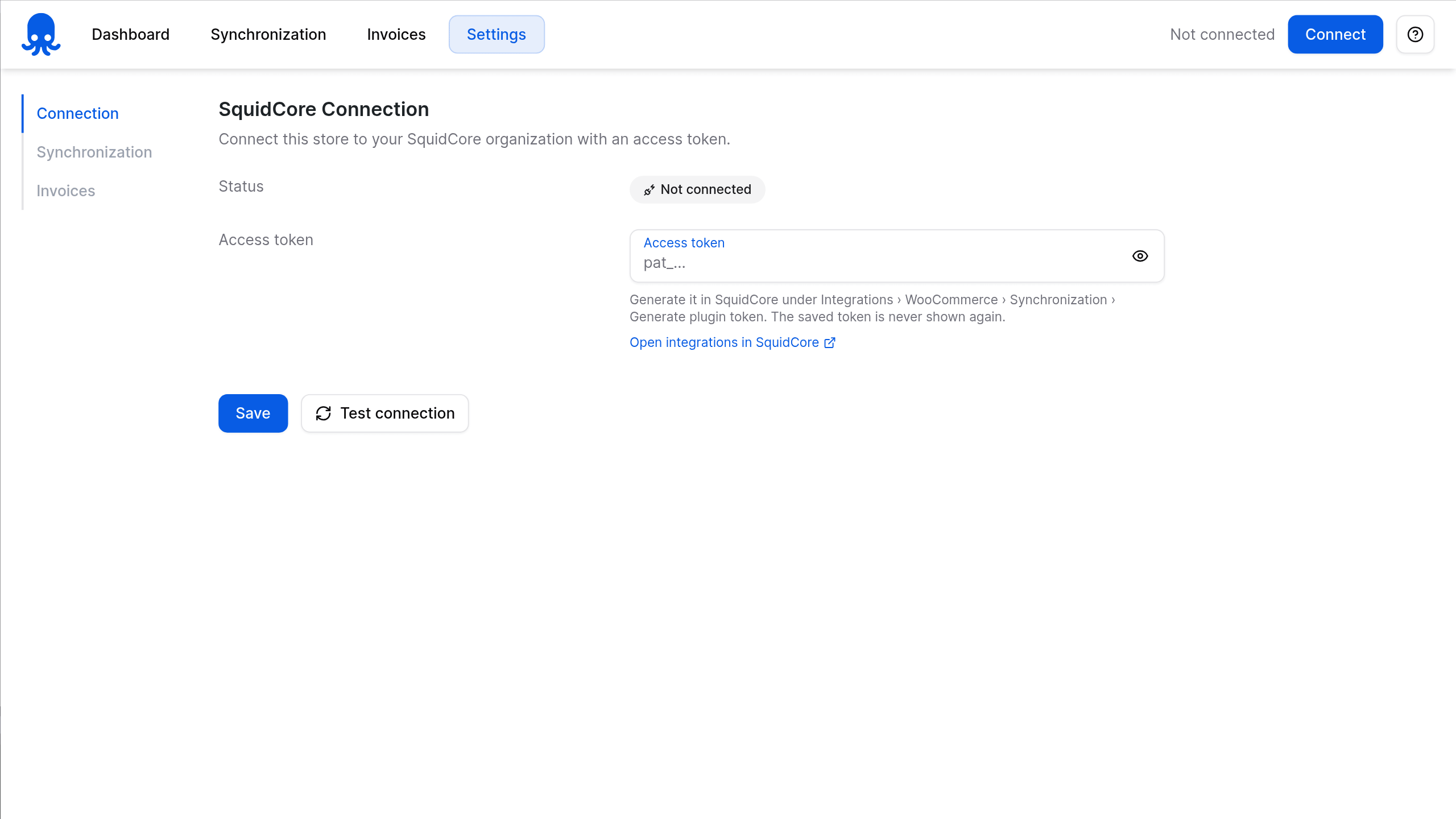
| One-token connection | Paste the access token generated in SquidCore and save: the dashboard shows “Connected” with your organization’s name. The API address comes preset, the token is masked once saved, and Test connection checks everything whenever you like. |
| Real-time catalog sync | Products, variations and categories reach SquidCore when they are created, updated, trashed, restored or deleted, with SKU, descriptions, regular and sale price, stock, weight, dimensions, images, attributes and NCM. |
| Real-time order sync | New orders, status changes and confirmed payments reach SquidCore with items, shipping, fees, coupons, payment method and addresses, including the CPF, CNPJ, IE, RG, address number, neighborhood and mobile phone saved by Infixs Checkout Fields or Brazilian Market on WooCommerce. In SquidCore, each one becomes a sales order. |
| Customers from orders | Each buyer is added to your SquidCore customers, or matched by CPF/CNPJ or email when they are already there. |
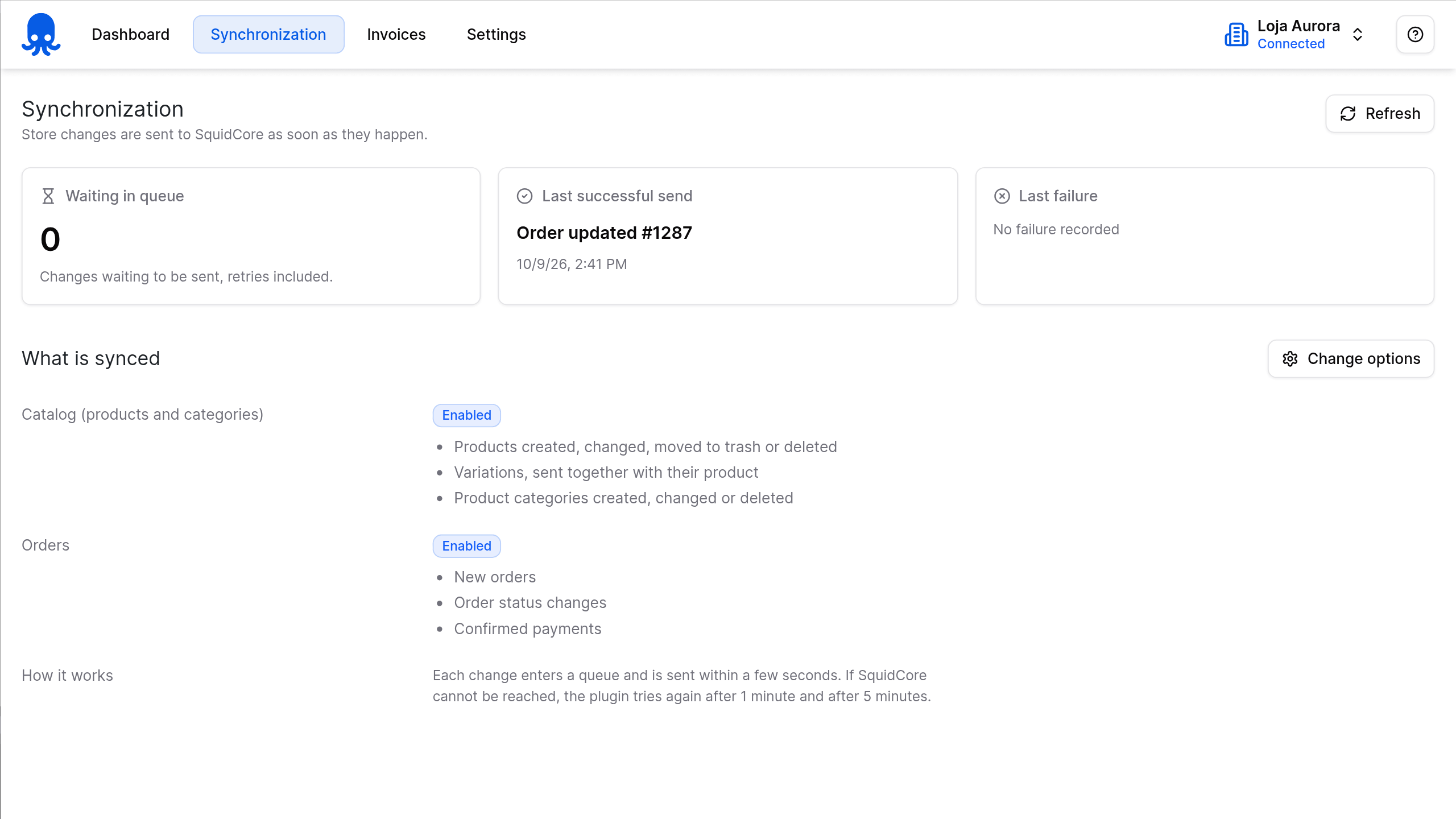
| Background sending | Every change joins a queue (Action Scheduler) and reaches SquidCore shortly after, with automatic retries. The Synchronization screen shows the queue, the last successful send and the last failure, and catalog and order sync each have their own switch. |
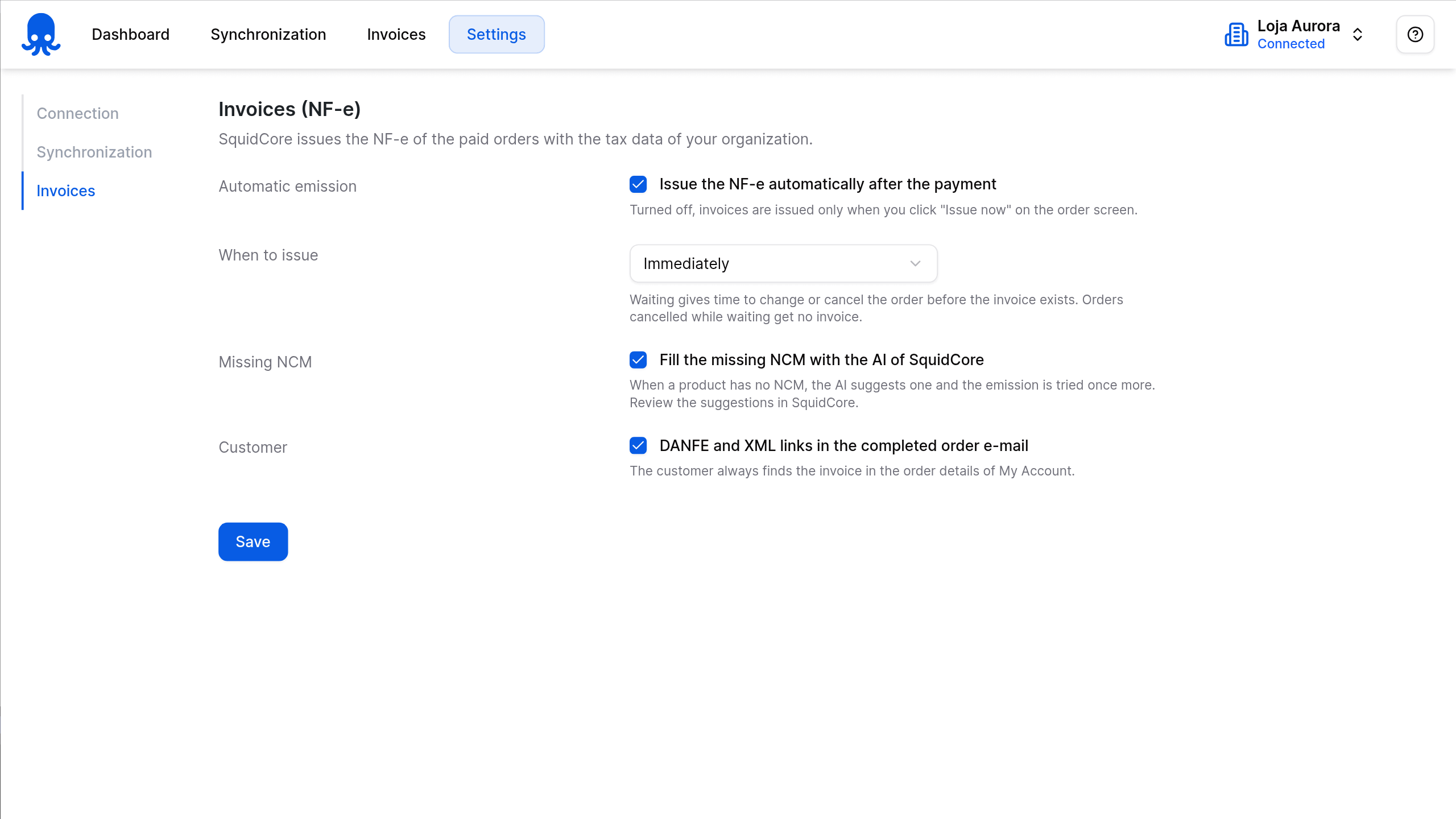
| Automatic NF-e after payment | Turn on automatic issuing and pick the timing: right away, or 1, 2, 4, 6, 12 or 24 hours after payment. It also covers Pix and boleto payments confirmed later, orders created in the admin and cash on delivery, and an order cancelled during the wait gets no invoice. |
| Invoice on the order screen | The Invoice (NF-e) box shows the status, number, series, access key and issue date, with Issue now, Try again, Refresh, Cancel invoice and downloads for the DANFE, the XML and the cancellation XML. The orders list gets an NF-e column with the status and number. |
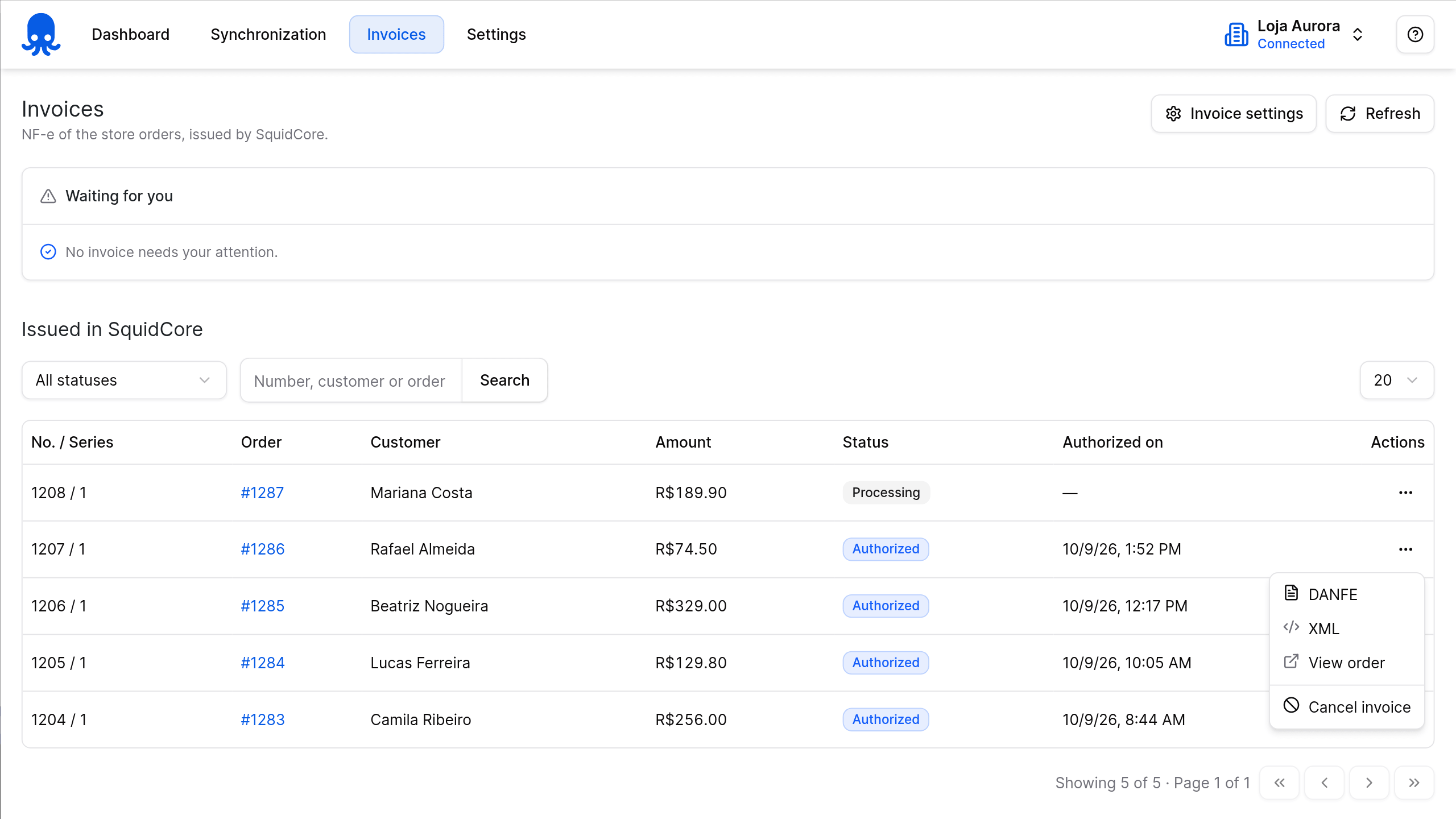
| Every invoice in one list | The Invoices page gathers your store’s NF-e with a status filter, search by number, customer or order, and actions on each row. The Waiting for you card picks out the invoices that need your attention, with a Try again button, and an admin notice tells you how many there are. |
| DANFE and XML for your customer | Customers download the DANFE (PDF) and the XML from the order details in My Account, and the links also go in the completed order email when the invoice is already authorized (you can turn this off). Downloads go through your store and are checked against the order key. |
| Cancellation on your terms | Cancel an NF-e from the order screen or the invoice list within 24 hours of authorization, with the reason sent to SEFAZ, the state tax authority. If an order with an authorized invoice is cancelled or refunded, the plugin flags it so you can choose between cancelling the invoice and issuing a return invoice in SquidCore. |
| NCM on the product, with AI | Without Correios Automático active, the plugin adds an NCM field to the product’s Shipping tab; with it active, it uses the NCM that Correios Automático already stores, and variations inherit the parent’s NCM. Missing codes can be filled in by SquidCore’s AI through your organization’s OpenAI or Claude connection, always checked against the official table. |
| Correios Automático integration | With Correios Automático 1.11.0 or later, the authorized NF-e goes into the pre-posting instead of a content declaration. The NF-e number and key are also saved on the order for JadLog Automático and Loggi Automático. |
| From SquidCore back to your store | In SquidCore, you can import the products your store already has in one go, and with the SquidCore → Store direction (on by default), product and category changes made there, including price and stock, flow back to WooCommerce. |
| Dashboard in English and Portuguese | A SquidCore menu in WordPress with Dashboard, Synchronization, Invoices and Settings, a Help menu with a shortcut to generate the token, and WhatsApp support. Works with both High-Performance Order Storage (HPOS) and classic order storage. |
Requirements: WordPress 6.0+, PHP 7.4+ and WooCommerce 8.0+. A SquidCore account with the WooCommerce integration active, set up with your store URL and a WooCommerce REST API key with Read/Write permission. For NF-e: your company’s tax data, A1 digital certificate and invoice series and numbering set up in SquidCore, plus an NCM code on each product. Optional: an OpenAI or Claude connection in SquidCore for AI-filled NCM, and Correios Automático 1.11.0 or later to send the NF-e with the pre-posting.
🚀 Getting started
- Create your SquidCore account. To issue NF-e, add your company’s tax data and A1 digital certificate there.
- In WordPress, go to WooCommerce › Settings › Advanced › REST API and add a key with Read/Write permission.
- In SquidCore, open Integrations › WooCommerce, enter your store URL, consumer key and consumer secret, and save. To bring in the products your store already has, use Import products now on the Synchronization tab.
- On the same tab, click Generate plugin token and copy the token right away: it is shown only once.
- Add this plugin to your cart, complete the free checkout, download infixs-squidcore-erp.zip and install it under Plugins › Add Plugin › Upload Plugin.
- Go to SquidCore › Settings › Connection, paste the token and save. Then, under Invoices, turn on automatic issuing and choose when the NF-e goes out.
📸 Screenshots




Reviews
There are no reviews yet.