
Description
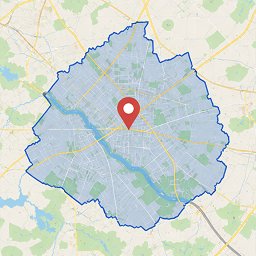
Drawing Delivery Areas is a powerful and flexible WooCommerce plugin that allows you to precisely define delivery areas for your products using interactive maps and advanced drawing tools. You can draw areas on the map using circles or polygons, delimiting a region, neighborhood, or even a specific street exactly the way you want.
Say goodbye to ZIP code range limitations that are often inaccurate, or plugins that rely on neighborhood names that don’t always work properly.
Key Features
🎯 Visual Area Definition
- Draw custom polygons directly on the map to define specific delivery areas.
- Create circles with adjustable radius to easily and accurately cover circular areas.
- Intuitive and user-friendly interface for fast area creation and editing.
🔧 Total Flexibility
- Define multiple delivery areas, overlapping or independent, according to your needs.
- Assign different shipping rates to each defined area for precise pricing control.
📍 Precision & Efficiency
- Uses the Google Maps API for accurate geocoding of addresses and ZIP codes.
- Automatically checks whether the customer’s address falls within a defined area, by ZIP code or address name.
- High-precision distance and area calculations to ensure correct shipping rate application.
🛒 Seamless WooCommerce Integration
- Works perfectly with the standard WooCommerce checkout flow.
- Displays available shipping options based on the customer’s delivery area/zone.
- Compatible with all WooCommerce themes and plugins.
Benefits
- Accurate Area Definition
Define delivery zones with the precision your business requires, without relying on ZIP code limitations or complex tables. - Flexible Pricing
Assign different shipping rates per area, optimizing costs and offering fair prices to customers. - Better Customer Experience
Provide clear and accurate shipping options, avoiding unpleasant surprises at checkout. - Logistics Optimization
Plan delivery routes more efficiently, saving time and resources.
Ideal For
- Online stores offering local or regional deliveries.
- Companies that require precise geographic delivery areas.
- Businesses that want to provide customized shipping options to their customers.
With the Drawing Delivery Areas plugin, you gain full control over your delivery zones, ensuring a more efficient and satisfying shopping experience for your customers.




Kemyllyn Fernandes –
Plugin maravilhoso super recomendo